

How to target a campaign audience
Filter campaign audiences by tag, automation, or both, for tighter, higher-converting sends.
On this page
How to target a campaign audience
Targeting is the difference between a 5% campaign and a 30% campaign. Botyoo gives you two audience filters that can be combined.
Step 1: Open a new or existing campaign
Open the campaign builder.
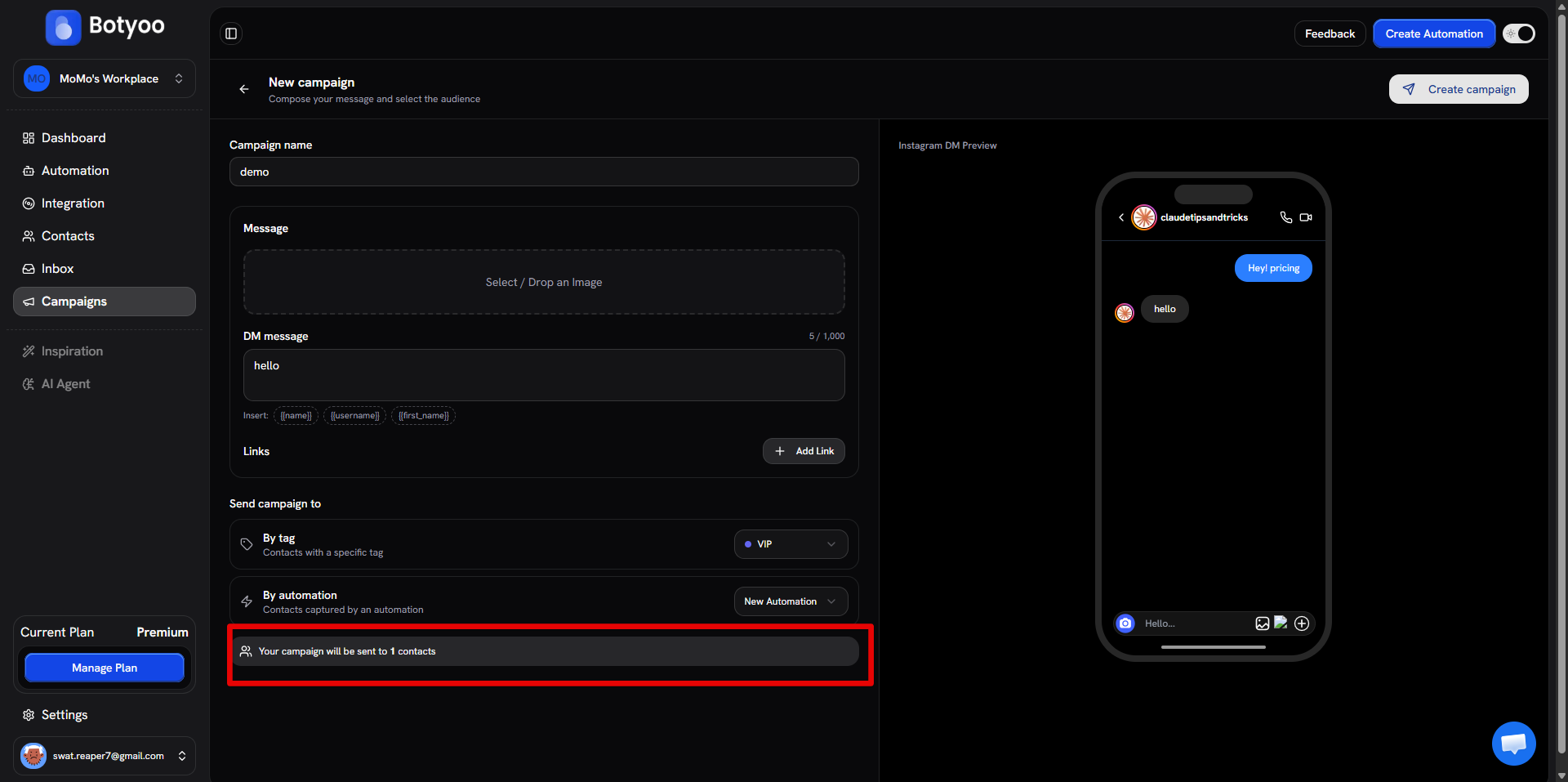
Step 2: Find “Send campaign to”
Scroll to the Send campaign to section.
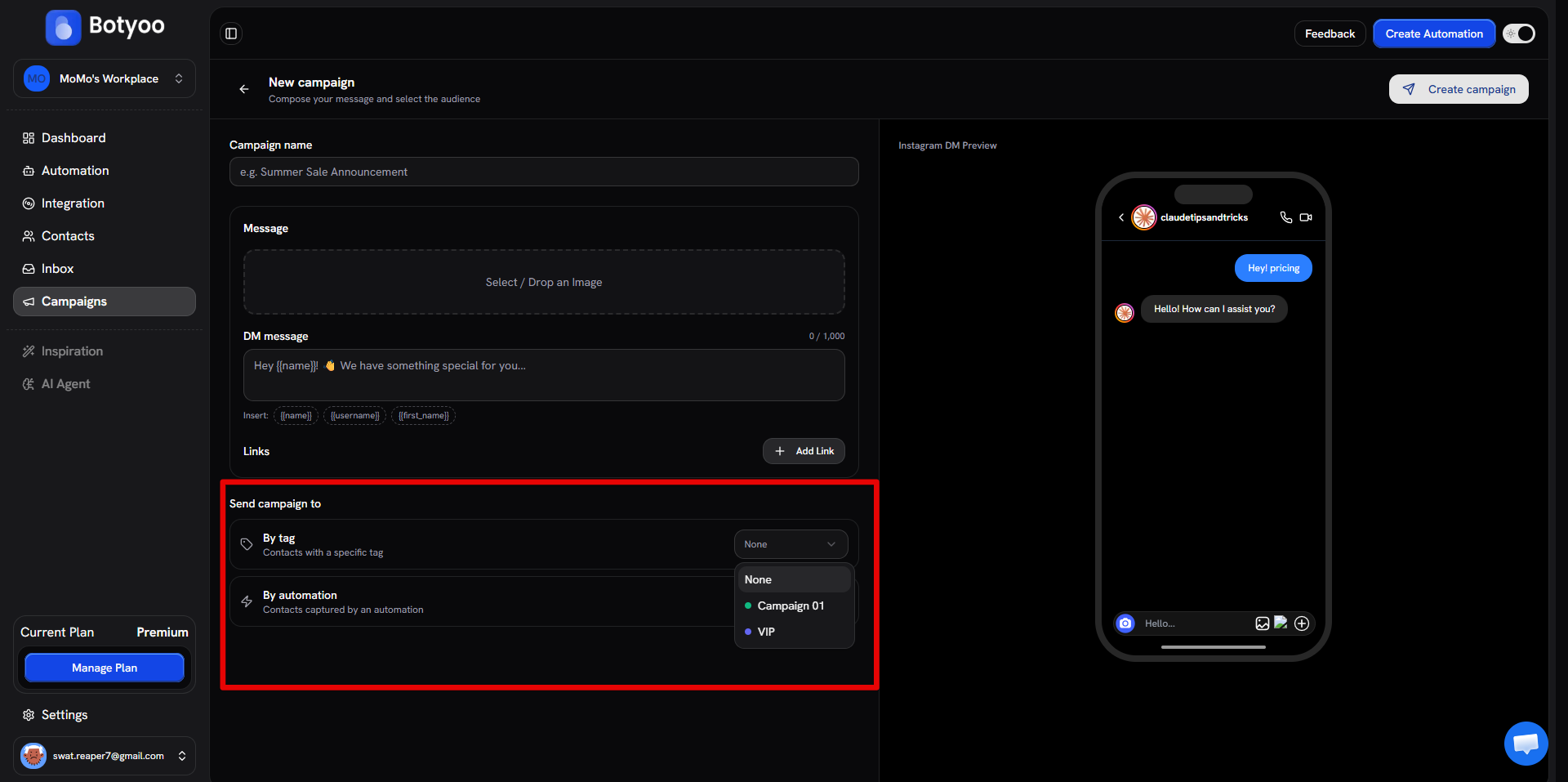
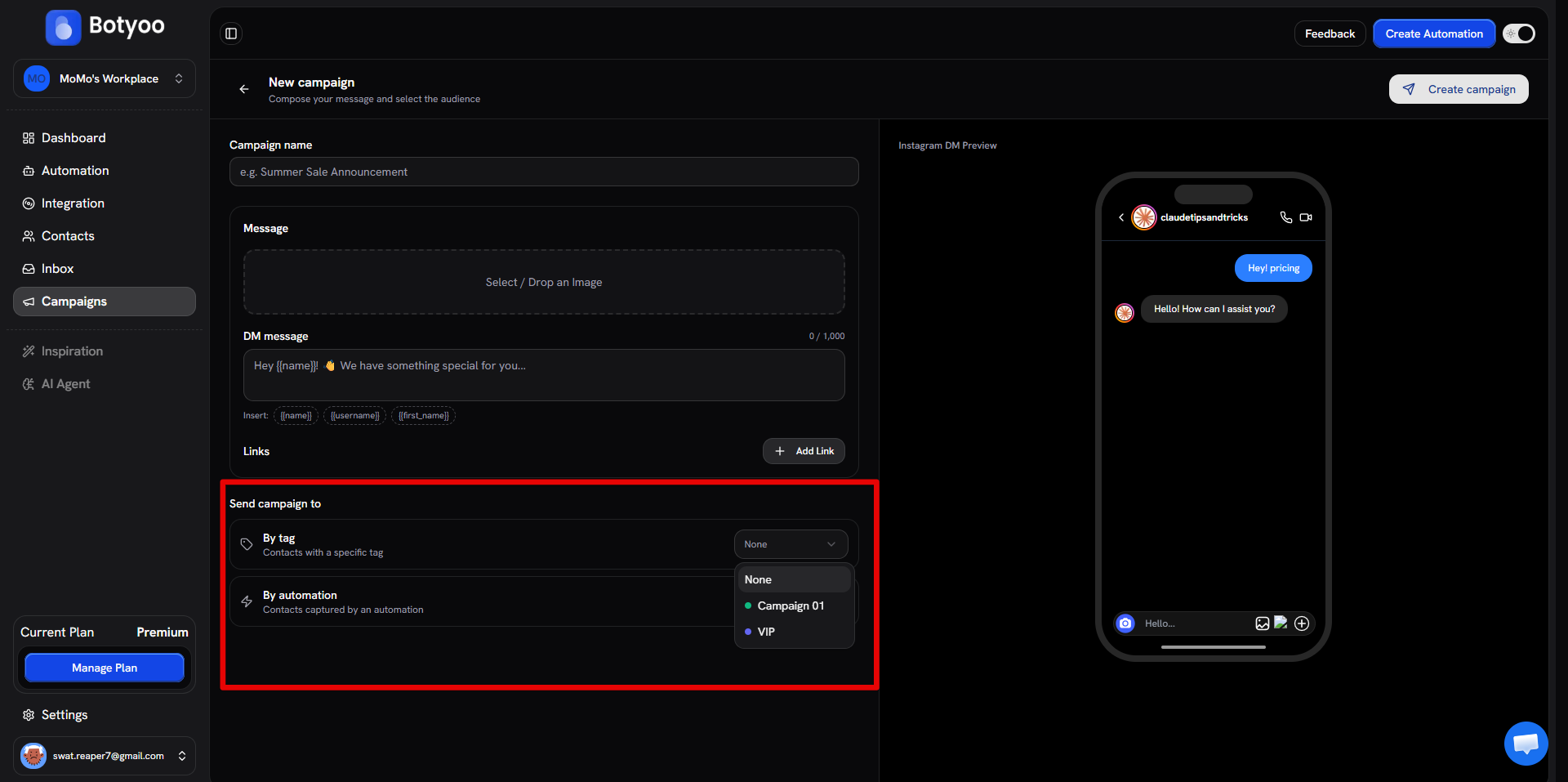
Filter By tag
Pick a tag from the dropdown. Every contact with that tag becomes part of the audience.
Good for:
- “Everyone tagged as
paid-customer” - “Everyone tagged as
interested-in-courses”
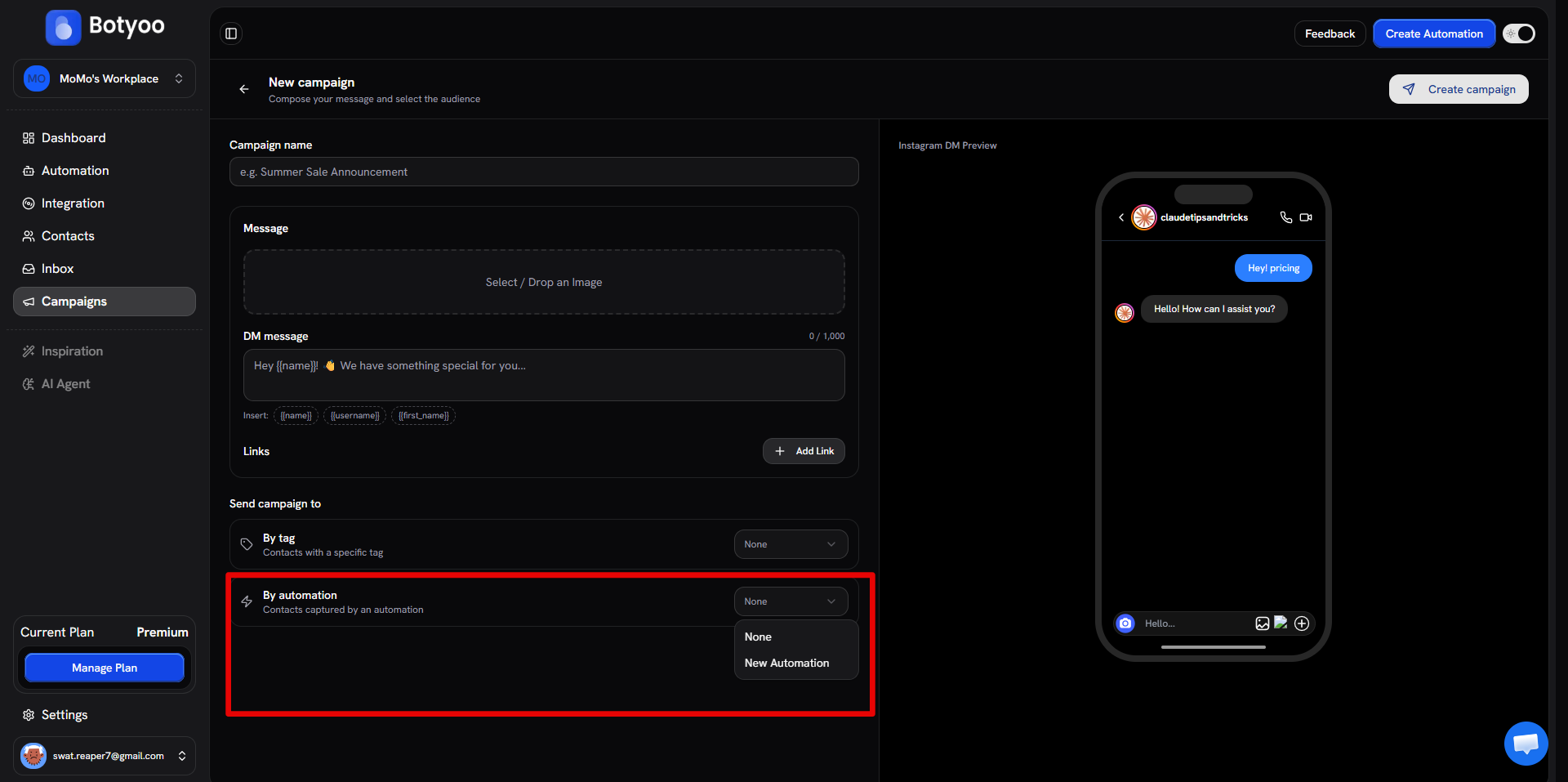
Filter By automation
Pick the automation that captured the contacts. Every contact from that automation becomes the audience.
Good for:
- “Everyone who entered through the Summer Sale comment-to-DM”
- “Every commenter on the launch Reel”
Combine both for the intersection
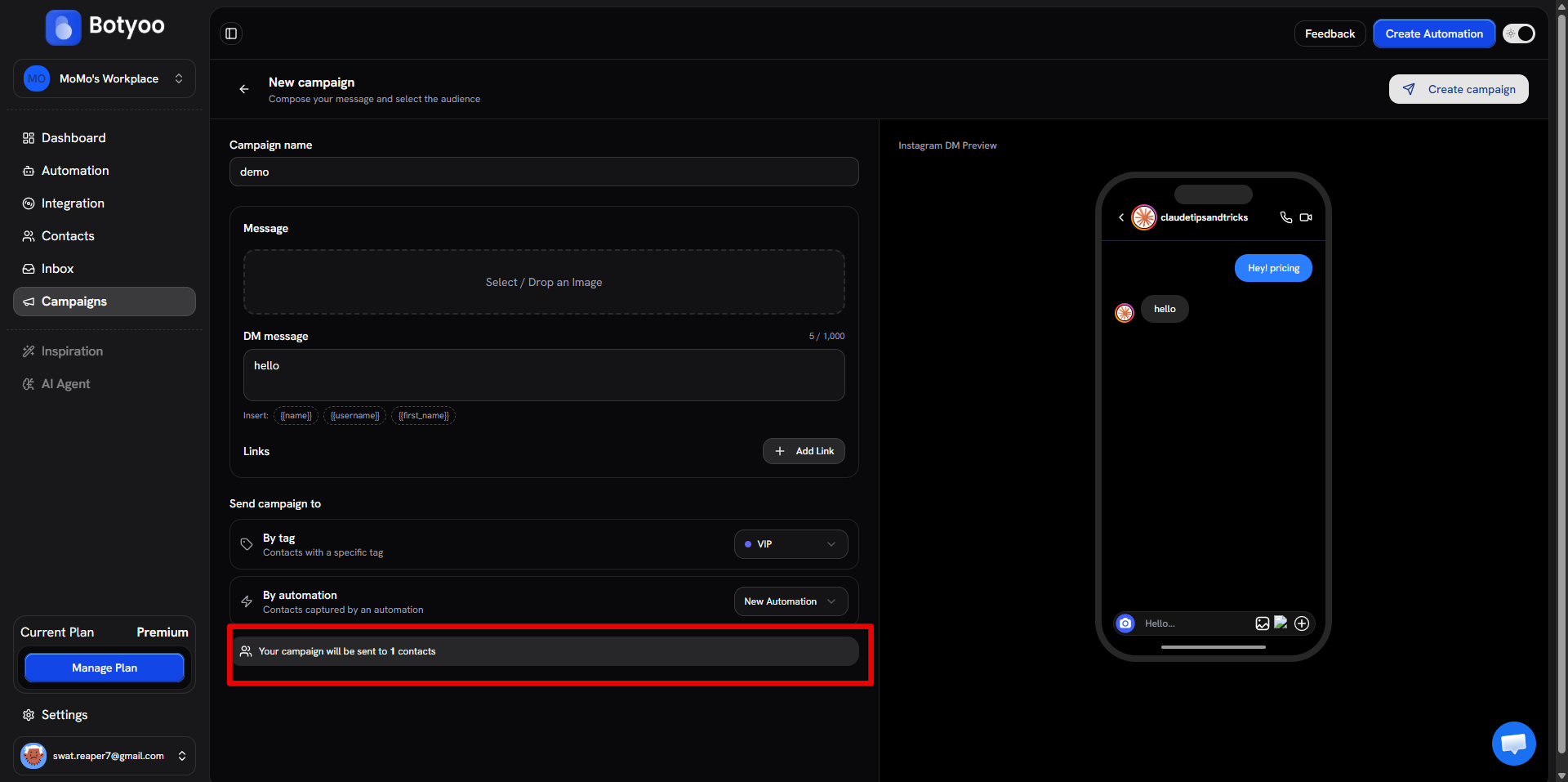
Set both filters. The audience becomes contacts who match both, narrower and higher-intent.
Good for:
- “VIP-tagged contacts captured by the Course Funnel automation”
Audience size preview
The campaign builder shows the audience size before you send. Use this to confirm you’re targeting the right number: too few means you’re missing leads, too many usually means your filter is too loose.
What’s next
Was this article helpful?