

Help Center How-To Guides
How to switch between workspaces
Jump between your workspaces from the sidebar in one click.
On this page
How to switch between workspaces
If you belong to more than one workspace, you can switch between them without logging out.
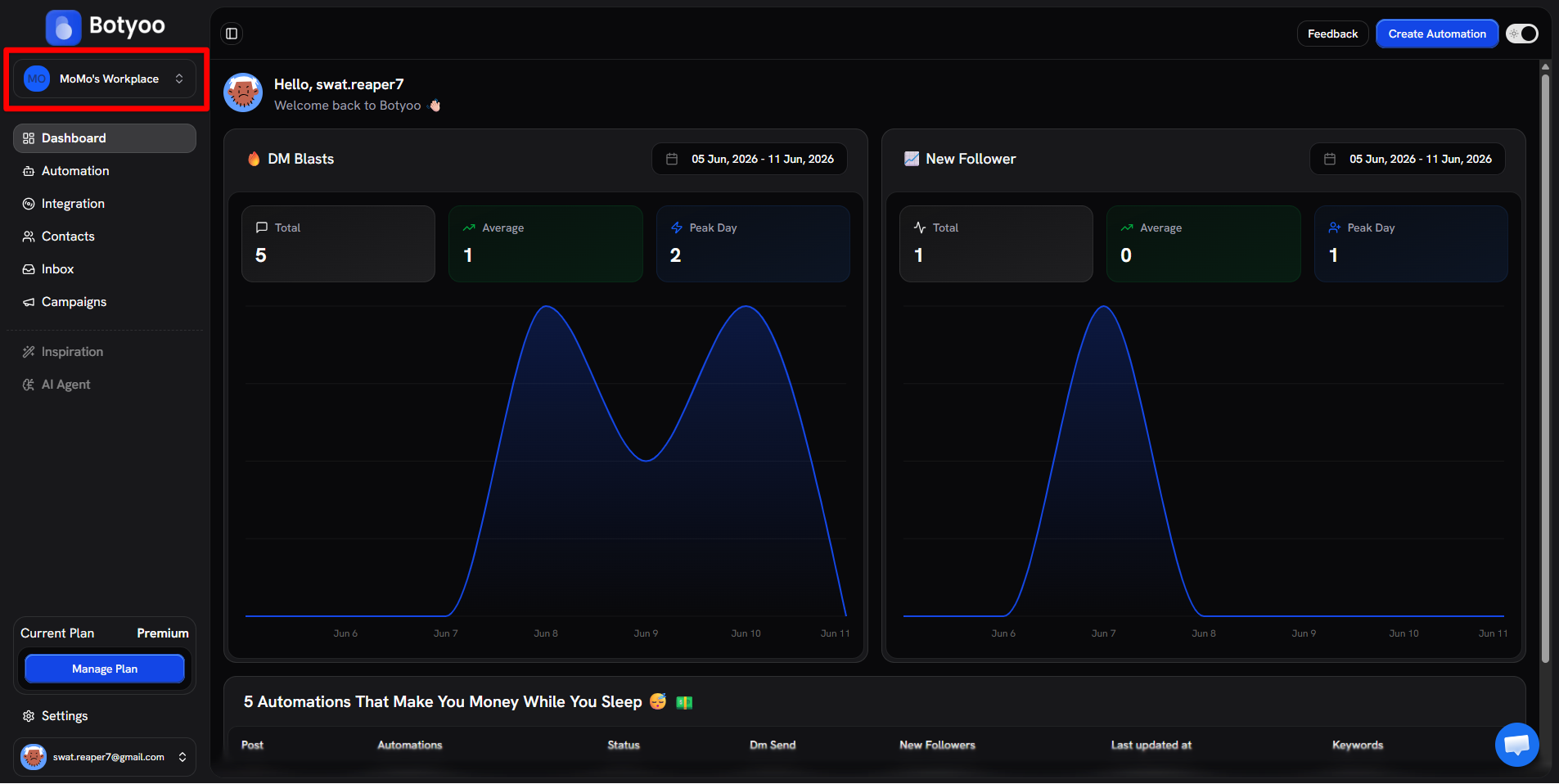
Step 1: Open the workspace switcher
Click the workspace pill at the top of the sidebar.
Step 2: Pick a workspace
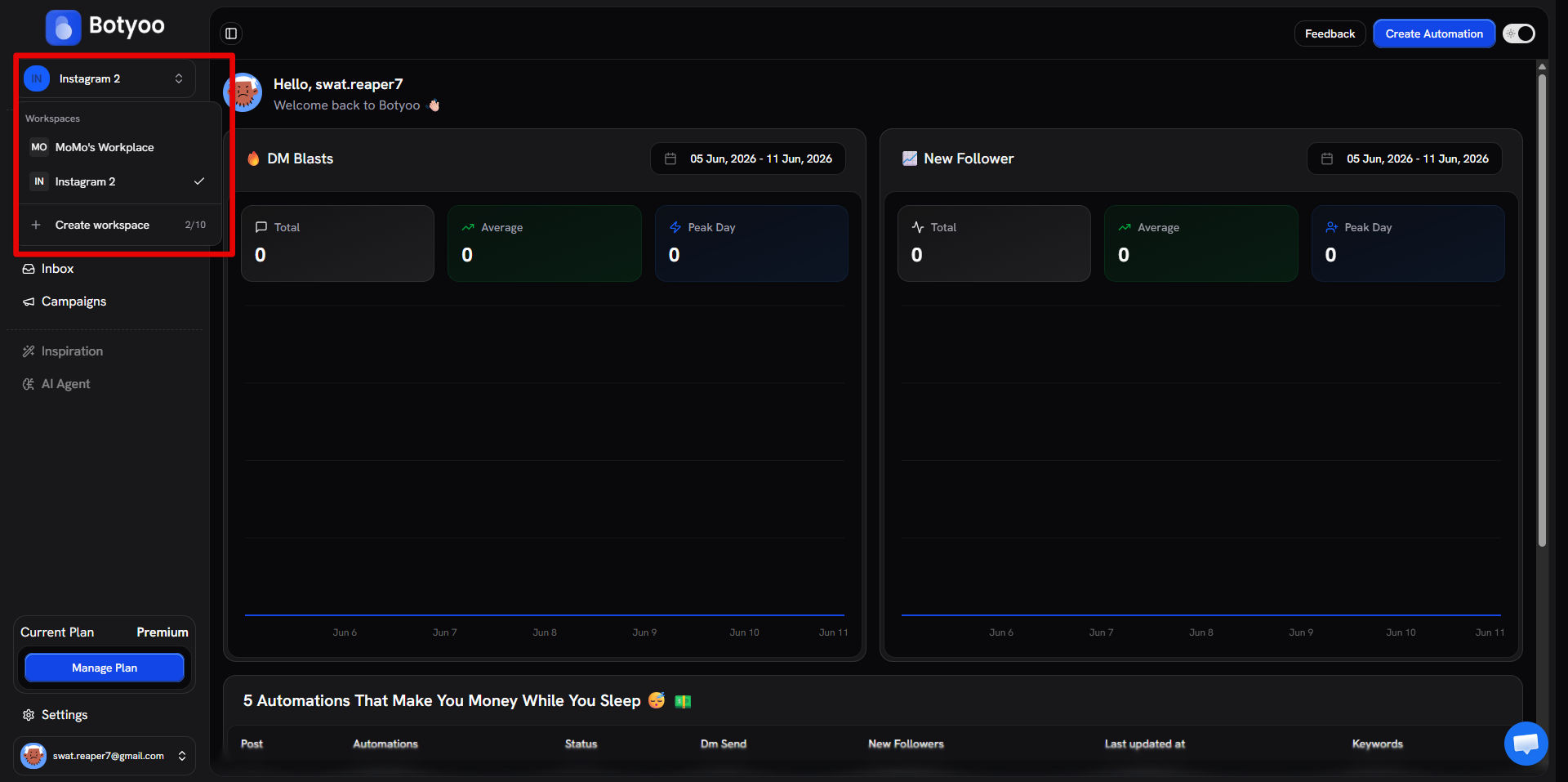
The dropdown lists every workspace you belong to. A checkmark shows your current one. Click any other workspace to switch.
Step 3: You’re in
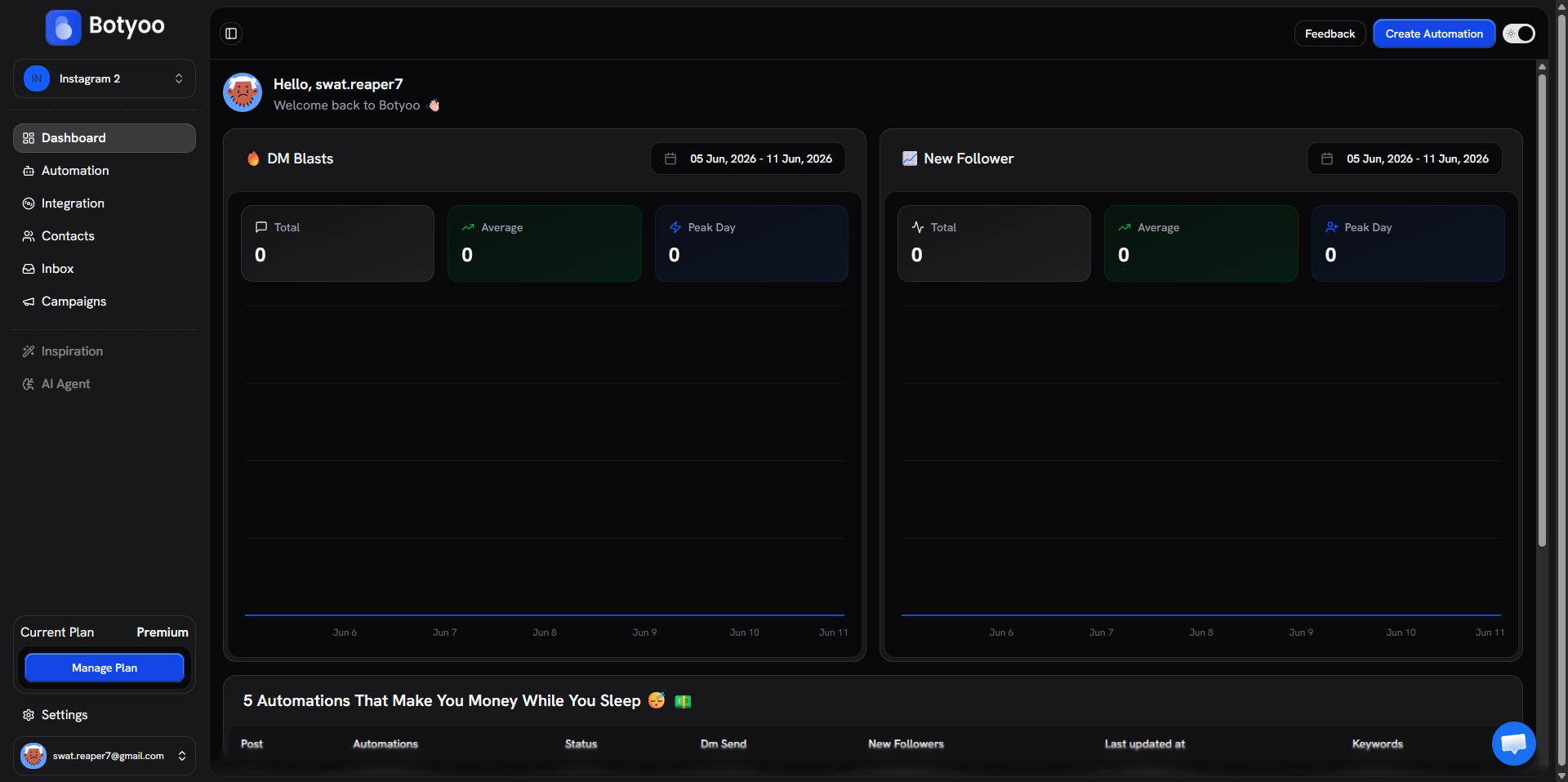
Botyoo reloads the dashboard with the new workspace’s data, its automations, contacts, inbox, and integration.
What’s next
Was this article helpful?