

How to automate Instagram Live comments
Send DMs to viewers who comment during your live broadcast.
On this page
How to automate IG Live comments
IG Live automation lets you reward viewers who comment during a live: drop a link, a discount code, or a quiz prize, automatically.
Critical constraint: Live triggers only work during the broadcast. Once the Live ends, you can’t message Live commenters retroactively. Set up the automation before you go live.
Step 1: Create the automation before going live
Click Create Automation in the top bar.
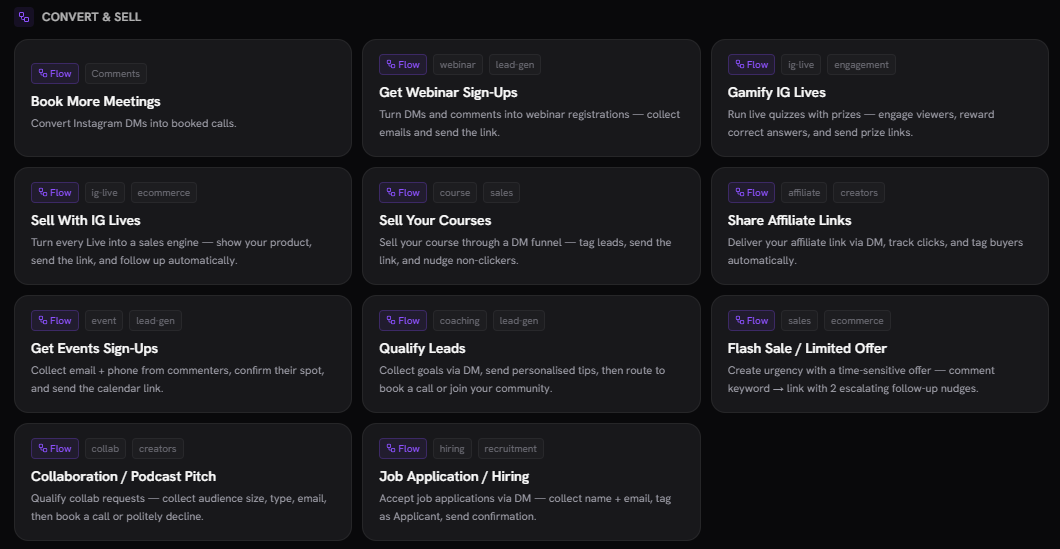
Step 2: Pick the IG Live template
Choose DM from IG Live or Sell With IG Lives from the template picker.
Step 3: Configure the trigger
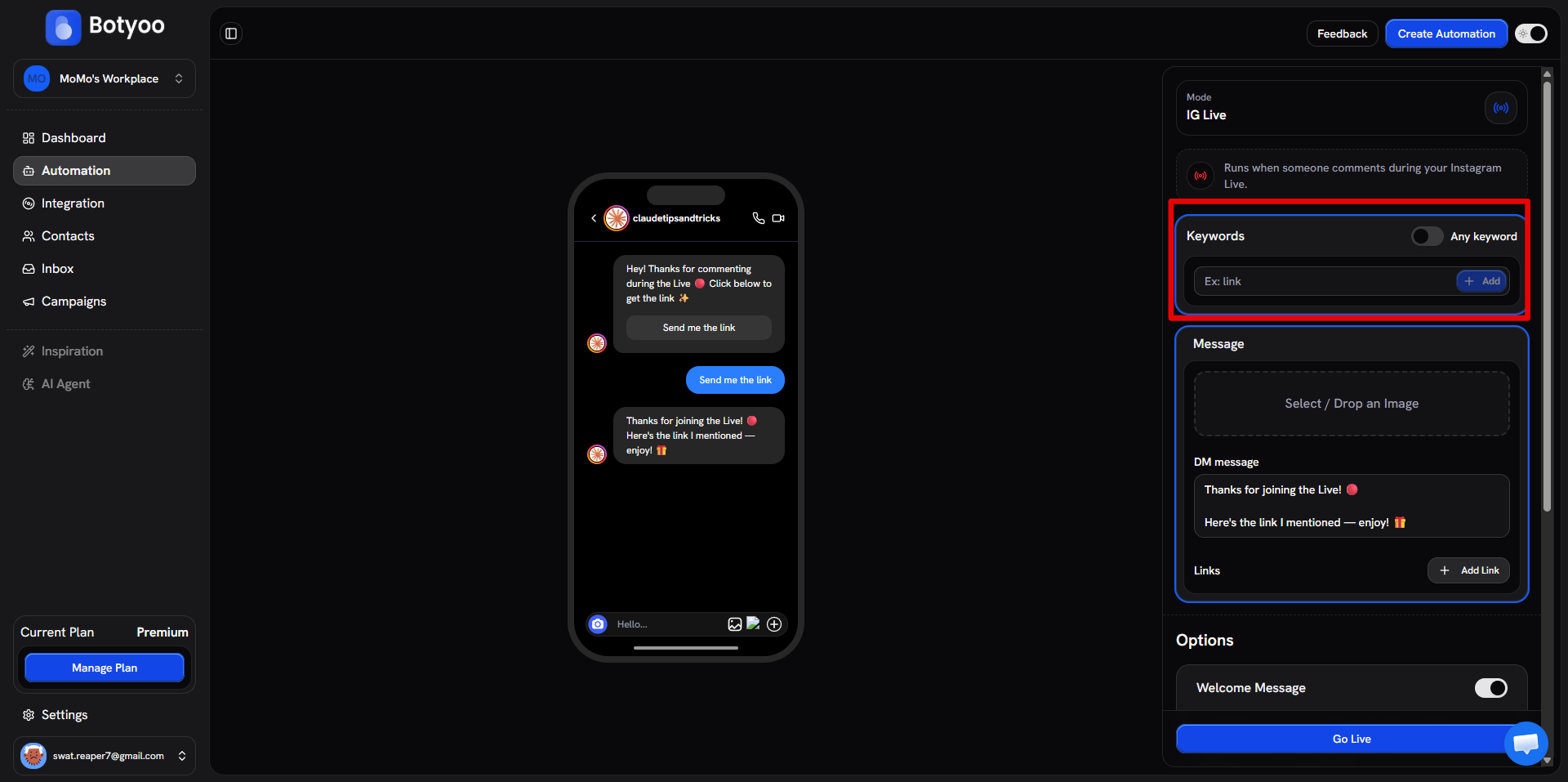
Set the trigger to IG Live comment. Add keywords if you want to filter (e.g. WIN, PRIZE), or leave Any keyword on to fire on every comment.
Step 4: Write the DM
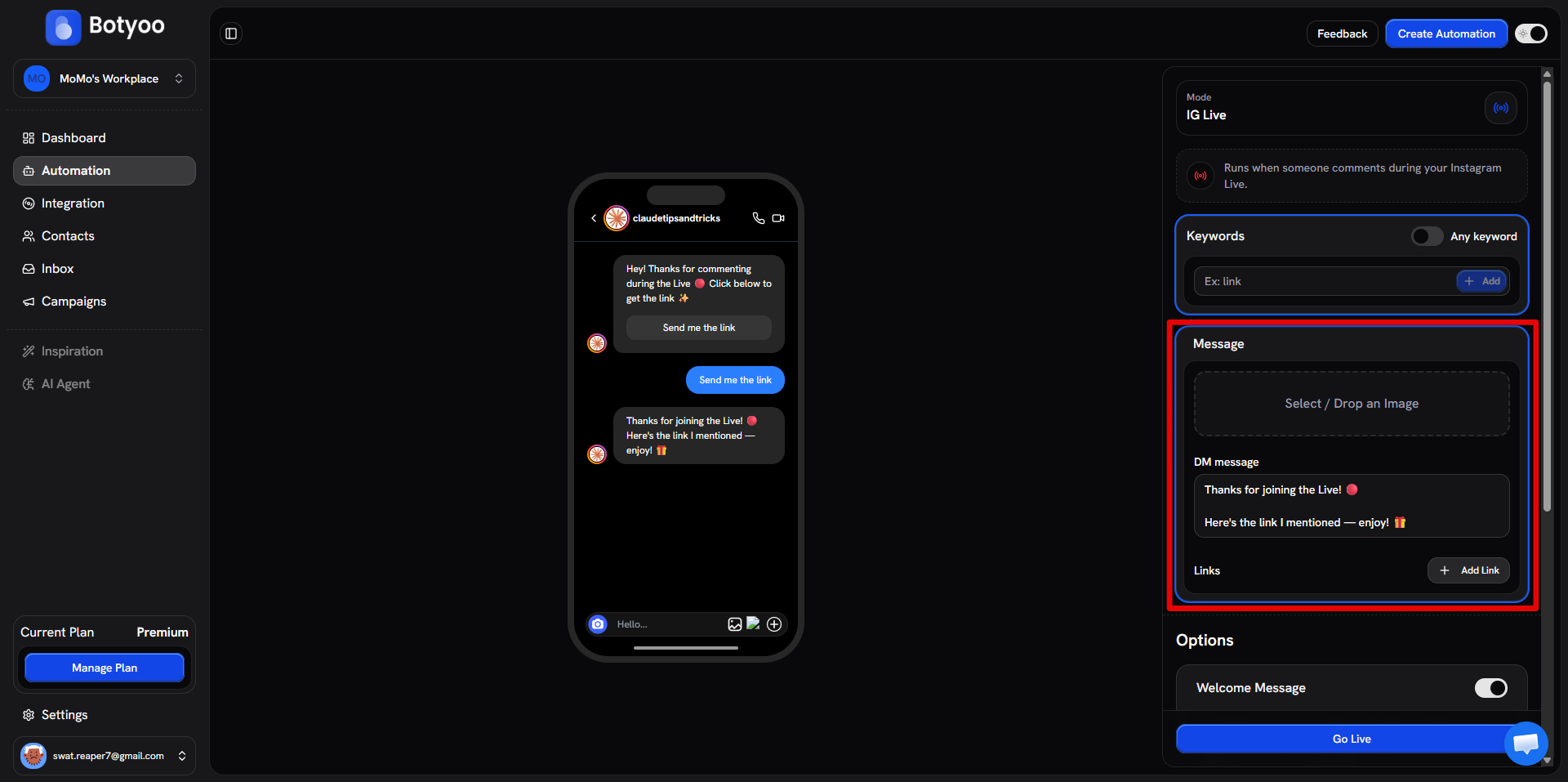
Compose the DM: include the link, the prize, or the next step.
Step 5: Activate before going live
Toggle the automation Active before you start the broadcast. Botyoo watches comments in real time during the Live.
Step 6: Go live
Start your broadcast in Instagram. As viewers comment, Botyoo fires DMs to each one that matches your trigger.
After the Live ends
The trigger stops. Any comments posted after the Live ends won’t fire DMs. That’s Meta’s rule.
Use cases
- Live giveaway: Comment WIN to enter, Botyoo DMs prize details
- Live launch: Comment NEXT for the link to the product page
- Live quiz: Comment the answer to get the next clue
What’s next
Was this article helpful?