

How to automate Click-to-DM ads
Trigger a DM flow the moment someone taps your Meta Click-to-DM ad.
On this page
How to automate Click-to-DM ads
Click-to-DM ads send users into Instagram DM when they tap your ad. Botyoo can fire an automation the moment that happens, with optional keyword matching against the ad’s prefilled message.
Step 1: Create the automation in Botyoo
Click Create Automation in the top bar.
Step 2: Pick the Click-to-DM template
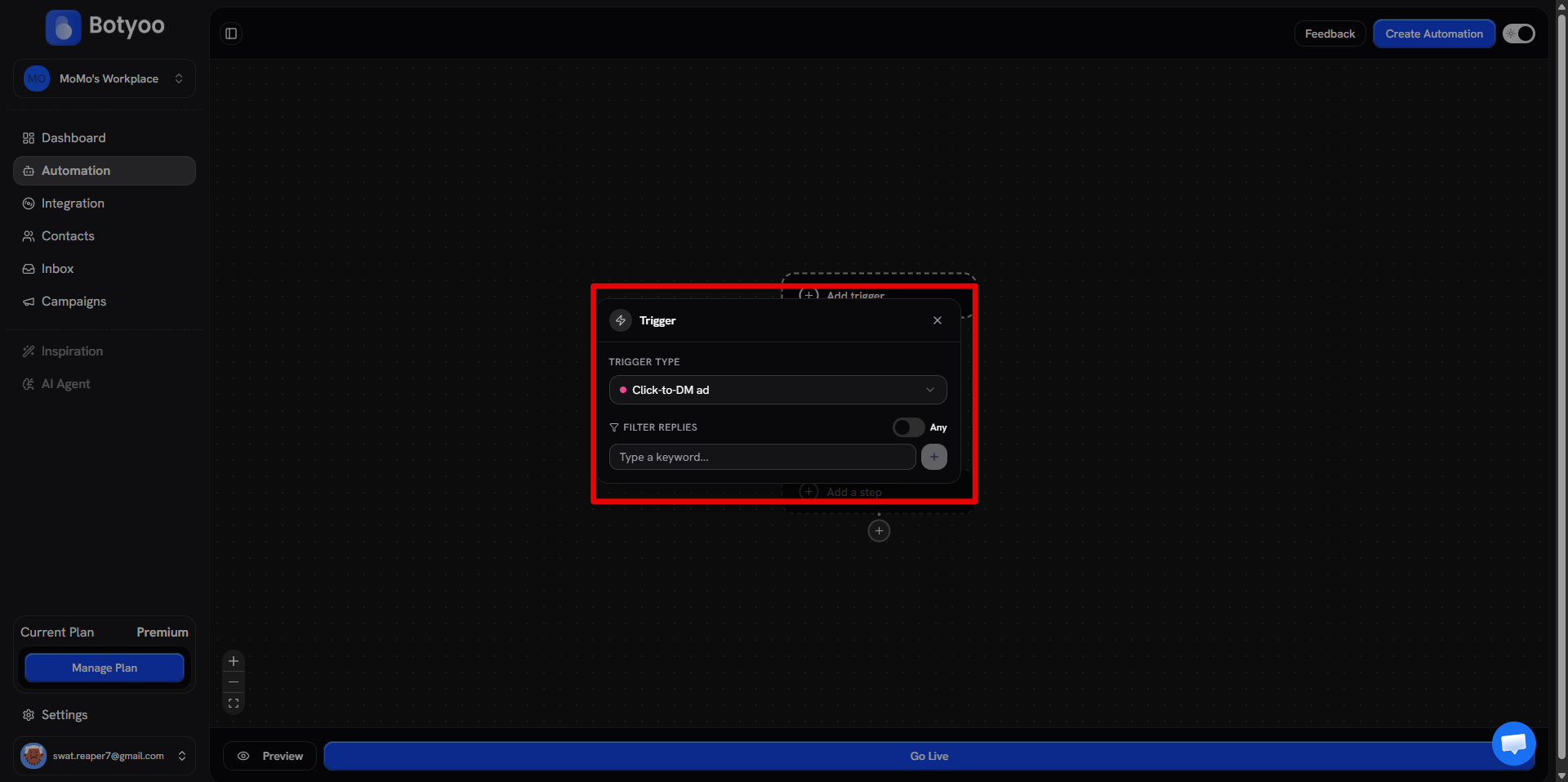
Choose the Click-to-DM trigger or use Start from Scratch and set the trigger to Click-to-DM ad.
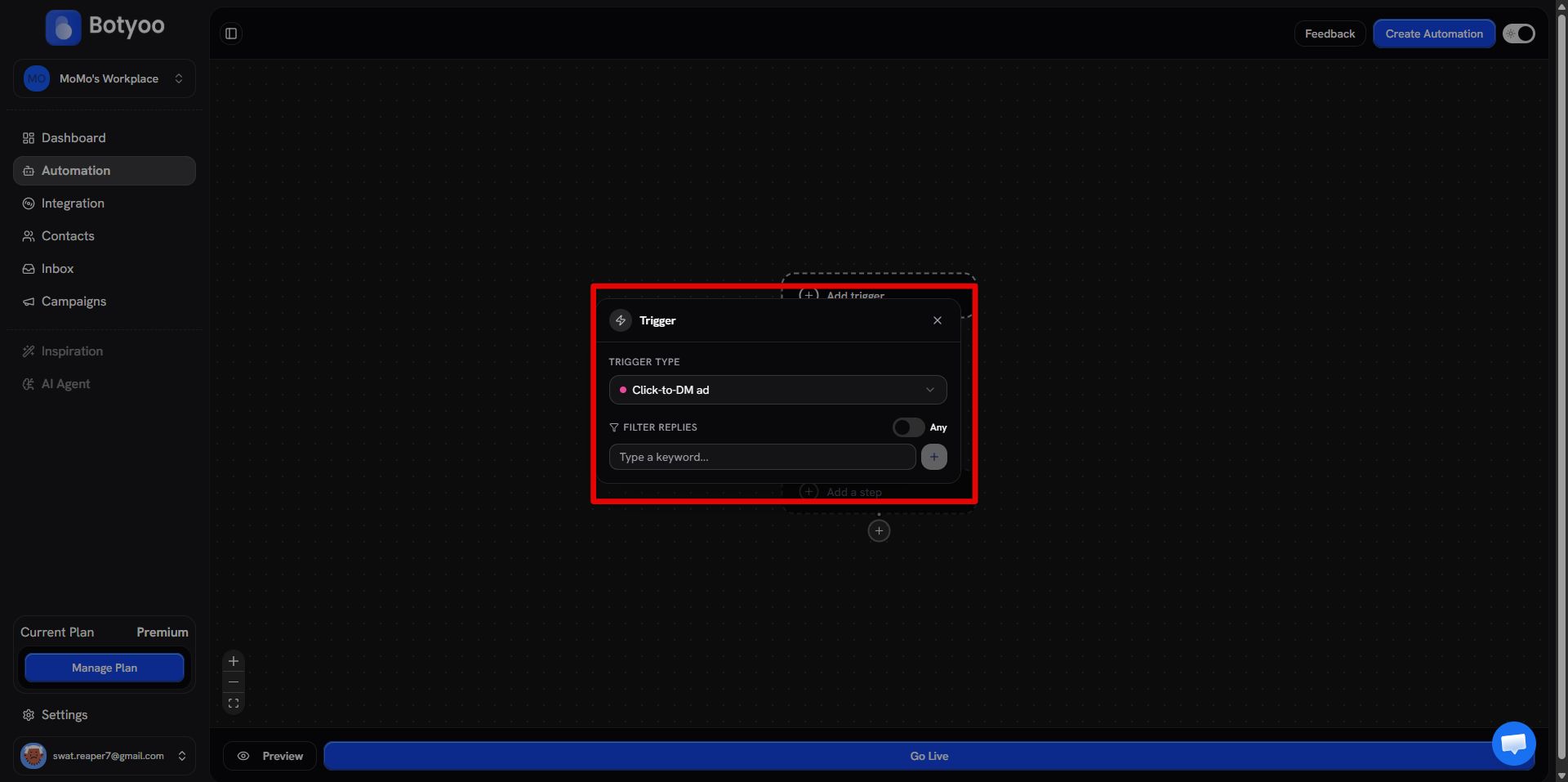
Step 3: Configure keyword matching (optional)
Add keywords to match against the ad’s prefilled message, or leave it as a catch-all to fire on every ad click.
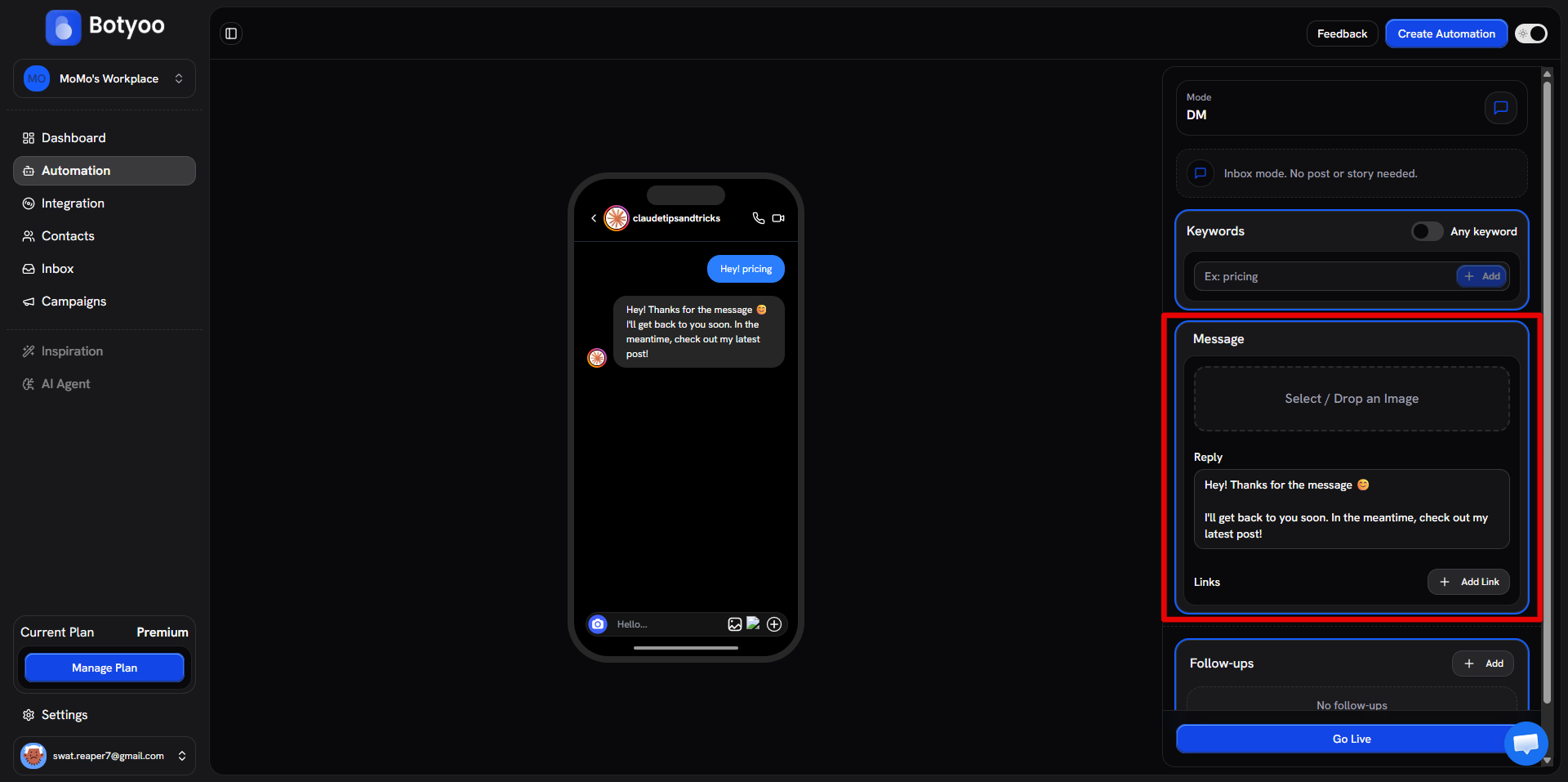
Step 4: Write the DM
The DM is what the ad-tapper sees first. Make it land, lead with the offer.
Step 5: Activate the automation
Toggle Active. Botyoo now responds to taps on any Click-to-DM ad on the connected account.
Step 6: Launch the ad in Meta Ads Manager
Head to Meta Ads Manager (adsmanager.facebook.com) and create a new ad with the Engagement → Messages objective. Set Instagram Direct as the messaging destination, choose the same Instagram account you connected to Botyoo, and in the prefilled message field, type the exact keyword you configured in Step 3. When users tap the ad, Instagram opens DM with that prefilled message, Botyoo sees it land and fires your automation instantly.
Tracking
Each contact captured by this automation shows “Captured by automation:
What’s next
Was this article helpful?